In this section, the color scheme shown in the screenshots may differ from the actual appearance of the Control Centre.
You can use API to view fraud calls and blockages, download Fraud Call Attempts and Fraud attacks as CSV files, as well as view and manage blocklists.
¶ Creating an API Service Account
Log in to the Control Centre using an administrator account and navigate to Settings → User Management.
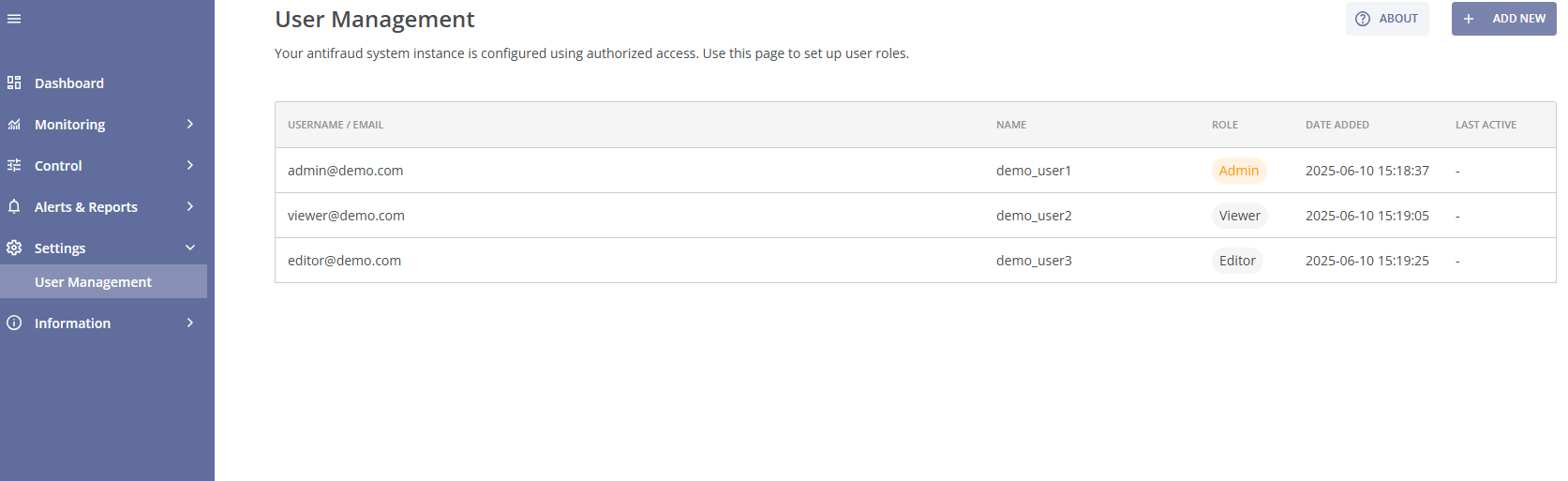
Next, click the + ADD NEW button located in the top-right corner of the page to create a new account.
On the New Account page, enter the following details:
- USERNAME/EMAIL: api
- NAME: API Service Account (or similar)
- ROLE: Editor
- PASSWORD: Set a strong password and save it securely. You will need it later.

This user will be used only for API access, and can generate an access token. The token is valid for 1 year. After 1 year, a new token must be generated.
You can find more information about creating and managing Control Centre accounts in the User Management section of the Settings page.
¶ Creating an API Access Token
To create an access token, login via API and send a POST request to:
POST {{baseUrl}}/api/user/login
Content-Type: application/json

{
  "email": "api",
  "password": "your_api_service_account_password_here"
}
The response will contain an access token. Every API request below will require it and it'll be reffered to as {{token}}.
¶ Using the Access Token
Below are some examples of using the access token:
- View Fraud Calls:
GET {{baseUrl}}/api/v2/stats/fraud-calls?timeFrom=2025-12-15T00:00:00.000Z&timeTo=2026-01-13T23:59:59.999Z&arange=1&brange=1&groupBy=DAY&page=0&limit=1
Authorization: Bearer {{token}}
Where:
- timeFrom / timeTo: Date range;
- arange: A-number or range;
- brange: B-number or range;
- groupBy=DAY: Groups results per day;
- page / limit: Pagination controls.
- Download Fraud Call Attempts as a CSV file:
GET {{baseUrl}}/api/v2/stats/fraud-calls/csv?timeFrom=2025-05-06T11:59:59.999Z&timeTo=2025-05-06T12:59:59.999Z
Authorization: Bearer {{token}}
- Download Fraud Attacks as a CSV file:
GET {{baseUrl}}/api/v2/stats/fraud-patterns/csv?timeFrom=2025-05-05T13%3A00%3A00.000Z&timeTo=2025-05-06T12%3A59%3A59.999Z
Authorization: Bearer {{token}}
- Retrieve the list of Active Blockages:
GET {{baseUrl}}/api/blockages
Authorization: Bearer {{token}}
- Download the contents of a specific Block or Allow List as a CSV file:
GET {{baseUrl}}/api/prefix-lists/Client_BL_a_number/values.csv
Authorization: Bearer {{token}}
Possible lists:
- Client_BL_a_number: Block List of A-numbers;
- Client_BL_b_number: Block List of B-numbers;
- Client_WL_a_number: Allow List of A-numbers;
- Client_WL_b_number: Allow List of B-numbers.
- Add new numbers or ranges to a specific Block or Allow List:
POST {{baseUrl}}/api/prefix-lists/Client_BL_a_number/values
Authorization: Bearer {{token}}
Content-Type: application/json

{
  "raw": "2222222\n333333\n444444xx"
}
Each entry must be on a new line (\n). A list can include numbers or ranges. You can find more information about Block and Allow Lists in the Adding a Number Range to Block or Allow Lists section of the Control page.